

Declaring fields
Two manifest sections feed one setup form:text, password, number, boolean, select (which must
declare options: [{ label, value }]).
Requiredness is asymmetric, on purpose
Auth fields and preferences share one namespace; declaring the same name in both
is a validation error.
Reaching your code
Values are injected as environment variables named exactly after each field:- Name fields in
SCREAMING_SNAKE_CASEso the manifest reads like the env it produces. - Declare every env var you read. An undeclared
process.env.Xis silently empty at runtime — the Studio’s validator rejects builds that read undeclared vars, and your own code should too. - Never hardcode keys. Secrets come from the user.
default exists, and if the API works without a key,
declare no credential at all.
What the user sees
The first time the agent picks one of your tools while a required field is missing, the turn pauses and the notch shows a setup card containing only the missing fields —password renders as a secure field, boolean as a toggle,
select as a picker.
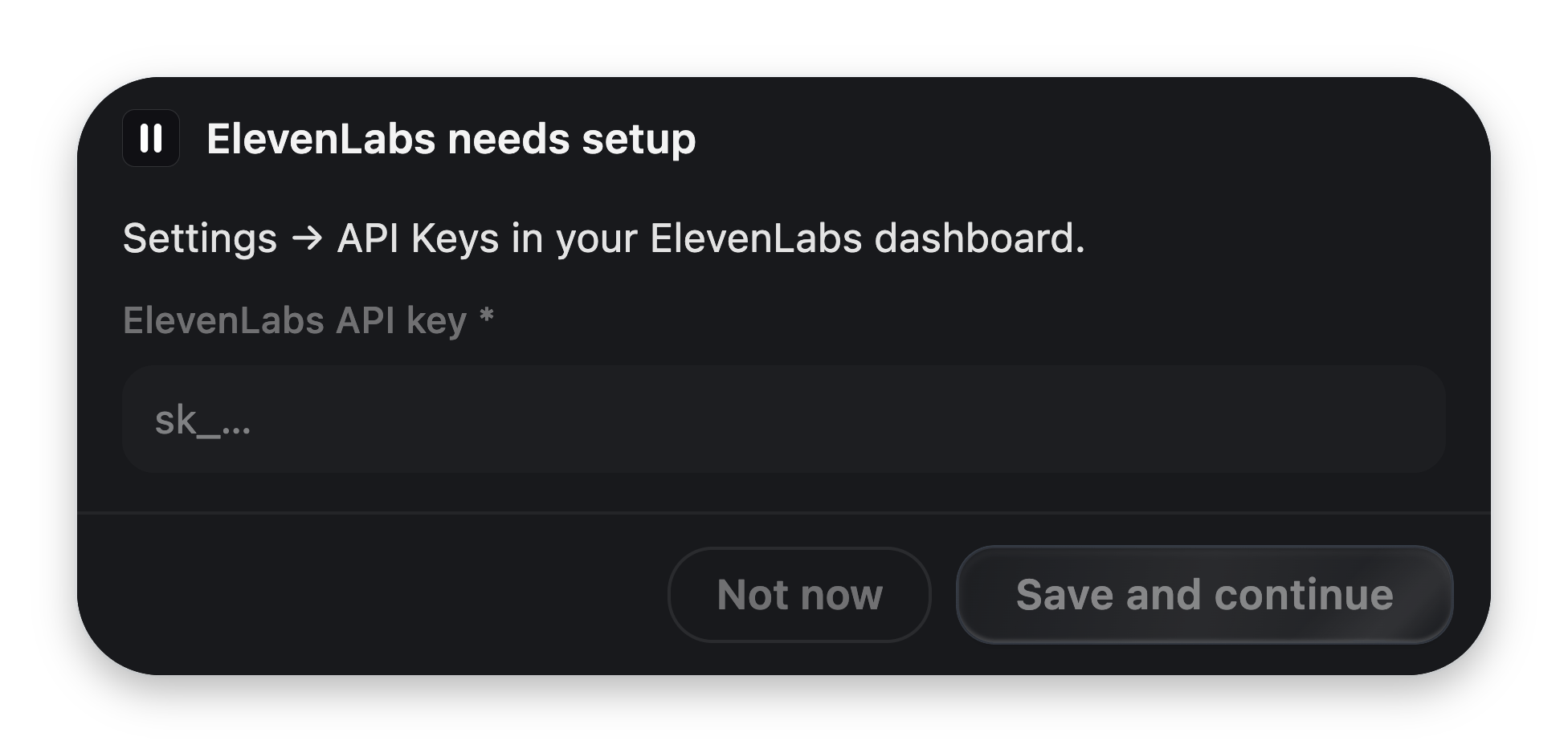
Built entirely from your declarations. You write zero UI.
- On save, VoiceOS persists the values (secrets encrypted), relaunches your server with the new environment, and runs the tool — same turn.
- The card is patient. If the user takes too long the turn ends honestly (the model is told setup is required and not to retry), but the card stays up. Finishing the form still saves the values, and the next request just works.
- Values persist per user. Setup happens once, not per call.
Editing values later
- Configure on the integration’s detail page reopens the form. Secret fields prefill empty — leaving one blank keeps the stored value; VoiceOS never echoes secrets back to the UI.
- In the Integration Studio, a Required fields section sits above the tools list. Filling it relaunches the draft server, so a key-gated integration is test-drivable immediately — and once everything required is filled, the Studio quietly runs each read-only tool once and shows real results in the preview.
SDK helpers
If you’re building with the SDK package,@voiceos/integration-sdk exports the
same logic VoiceOS runs — useful in tests:
Next: Custom widgets
The built-in blocks cover most cards. When they don’t, take over the pixels.