

confirmation view in the manifest: a card the
notch renders before any of your code runs. The user reviews it, edits the
arguments inline, and approves. The edited values are what execute.
The rule cuts both ways:
Instantly reversible media-transport verbs — play, pause, skip — count as
reads.
Anatomy
An ElevenLabsgenerate_speech tool would declare:
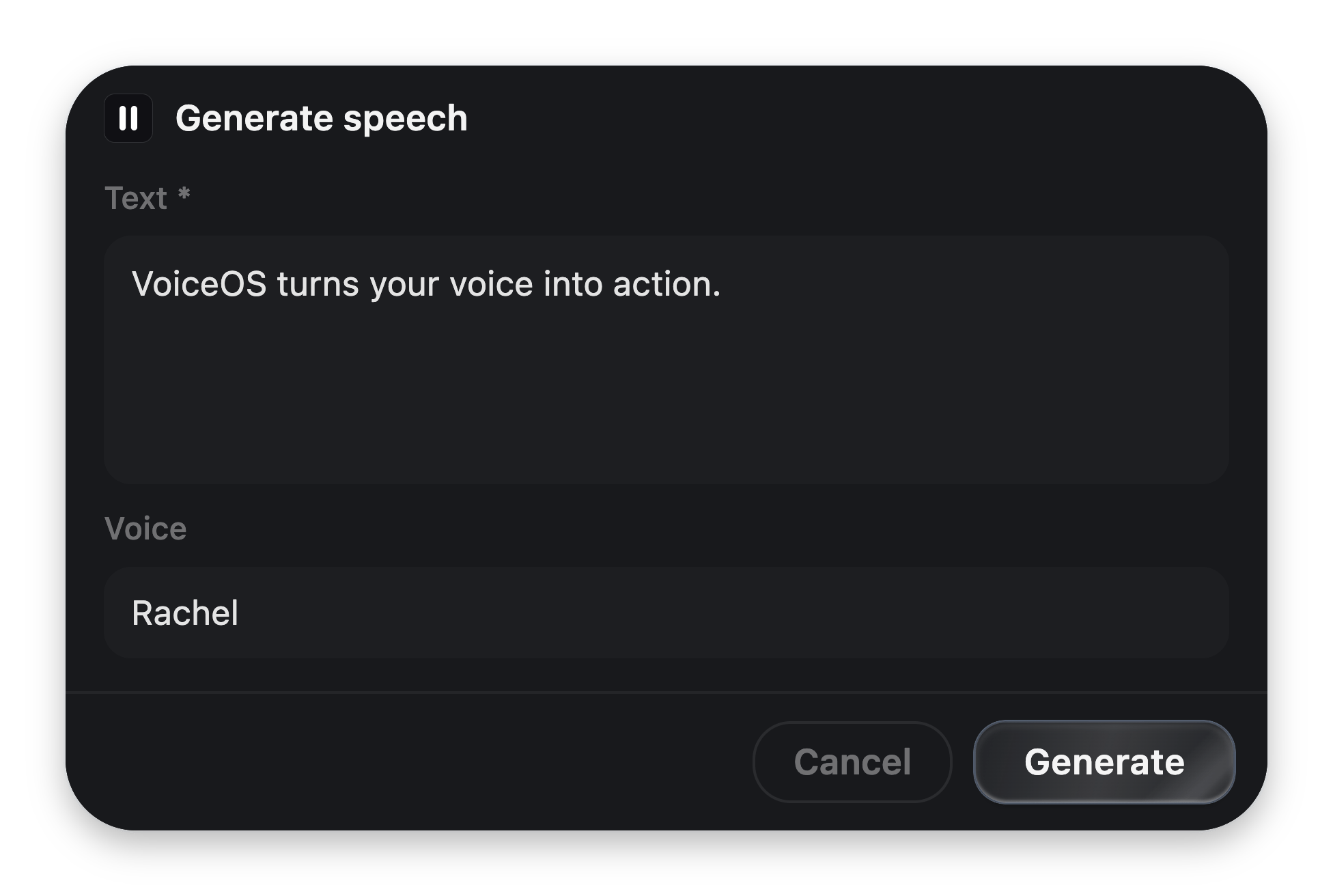
The view above, live. Text and Voice hold the agent's proposed arguments; the user can change either before approving.
{ schemaVersion: 1, root: <block> } — one root block, usually a
card with children and a footer.
Bindings
A binding is{{arg}}. It connects the card to the tool call’s arguments:
Every bound name must exist in the tool’s
inputSchema properties — validation
enforces it.
The vocabulary
Full prop tables: UI block reference.
Rules the renderer enforces
- One
confirmand onecancelin the footer. The firstconfirmrenders as the primary glass pill; the rest render as quiet ghost buttons. requiredgates the confirm button until every required, visible input holds a non-whitespace value. The marker is a quiet*, permanent by design, so an untouched form never looks like it failed validation.- Toggles never gate — off is an answer.
- Cancel is never gated, and neither are
copy/openUrl. visibleIf(on every block) shows a subtree only while the bound value is truthy. Hidden required fields don’t gate.- Name the consequence on destructive actions: “Delete 42 files”, not “Confirm”.
What the user can do
Approval isn’t only a click:
Design for that: bind the arguments a user would plausibly want to correct, and
show — don’t hide — everything the tool is about to do.
Users can turn confirmations off
Your manifest decides the default. On the integration’s detail page (and in the Studio), each action has an Asks first toggle — a user who trusts your integration can let an action run the moment the agent picks it.Reserved for the future
Two shapes are declared in the contract but rejected by validation inschemaVersion: 1 — don’t ship them yet:
role: "custom"buttons and actions (server round-trip actions).canvasblocks (an MCP-Apps-style embedded iframe resource).
Want full visual control?
A confirmation view can be a single sandboxed HTML widget — your pixels,
VoiceOS’s floating confirm button.