> ## Documentation Index
> Fetch the complete documentation index at: https://docs.voiceos.com/llms.txt
> Use this file to discover all available pages before exploring further.
# How it works
> The architecture of a VoiceOS integration, in one page.
An integration is a folder. At its center is `voiceos.integration.json` — the
**manifest** — plus a server implementing the tools it declares. VoiceOS reads
the manifest, runs the server, and handles the rest: voice, the agent,
confirmations, rendering, secrets.
```text theme={null}
coffee-tracker/
├── voiceos.integration.json # identity, runtime, permissions, tools
├── server.ts # a standard MCP server (your logic)
├── verify.ts # smoke test — run after every change
├── voiceos.integration.preview.json # sample inputs for tests & previews
└── AGENTS.md # teaches AI coding agents the contract
```
## A turn, step by step
```mermaid theme={null}
sequenceDiagram
participant User
participant Agent as VoiceOS agent
participant Notch
participant Server as Your MCP server
User->>Agent: "read this in Rachel's voice"
Agent->>Agent: picks your generate_speech tool
Agent->>Notch: shows the tool's confirmation card
User->>Notch: edits args, approves
Notch->>Server: tools/call generate_speech (edited args)
Server-->>Agent: JSON result (what the model reads)
Server-->>Notch: glance card (what the user sees)
Agent->>User: narrates the answer
```
VoiceOS launches your server over [MCP](https://modelcontextprotocol.io) and
lists its tools. Each tool's `description` is what the agent reads when deciding
whether to call it — write it as a routing rule.
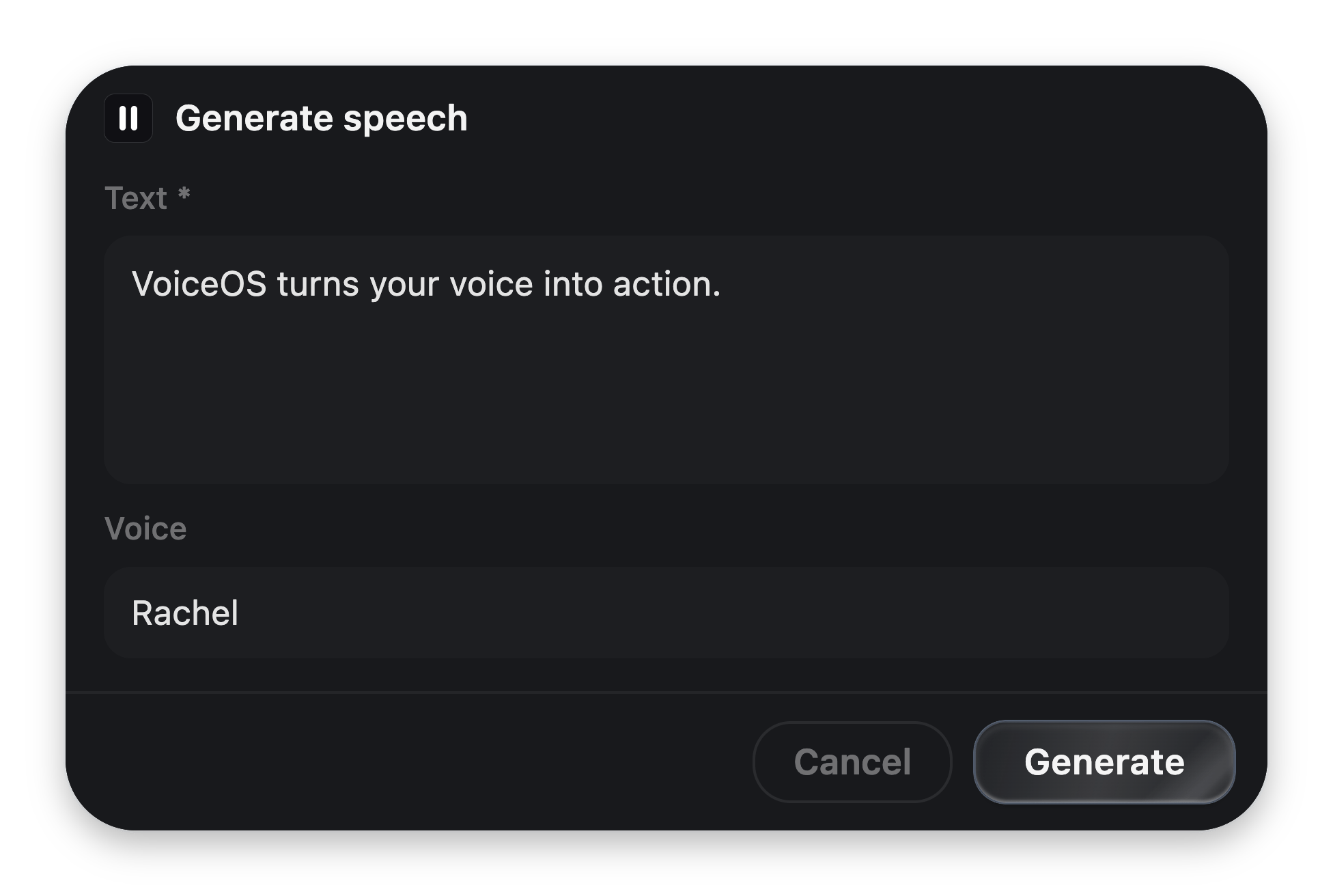
If the tool declares a `confirmation` view, the notch renders it *before any of
your code runs*. The user edits bound arguments inline; the edited values are
what execute. Read-only tools skip this.
 Your handler runs with the validated arguments. Secrets the user entered during
setup arrive as environment variables.
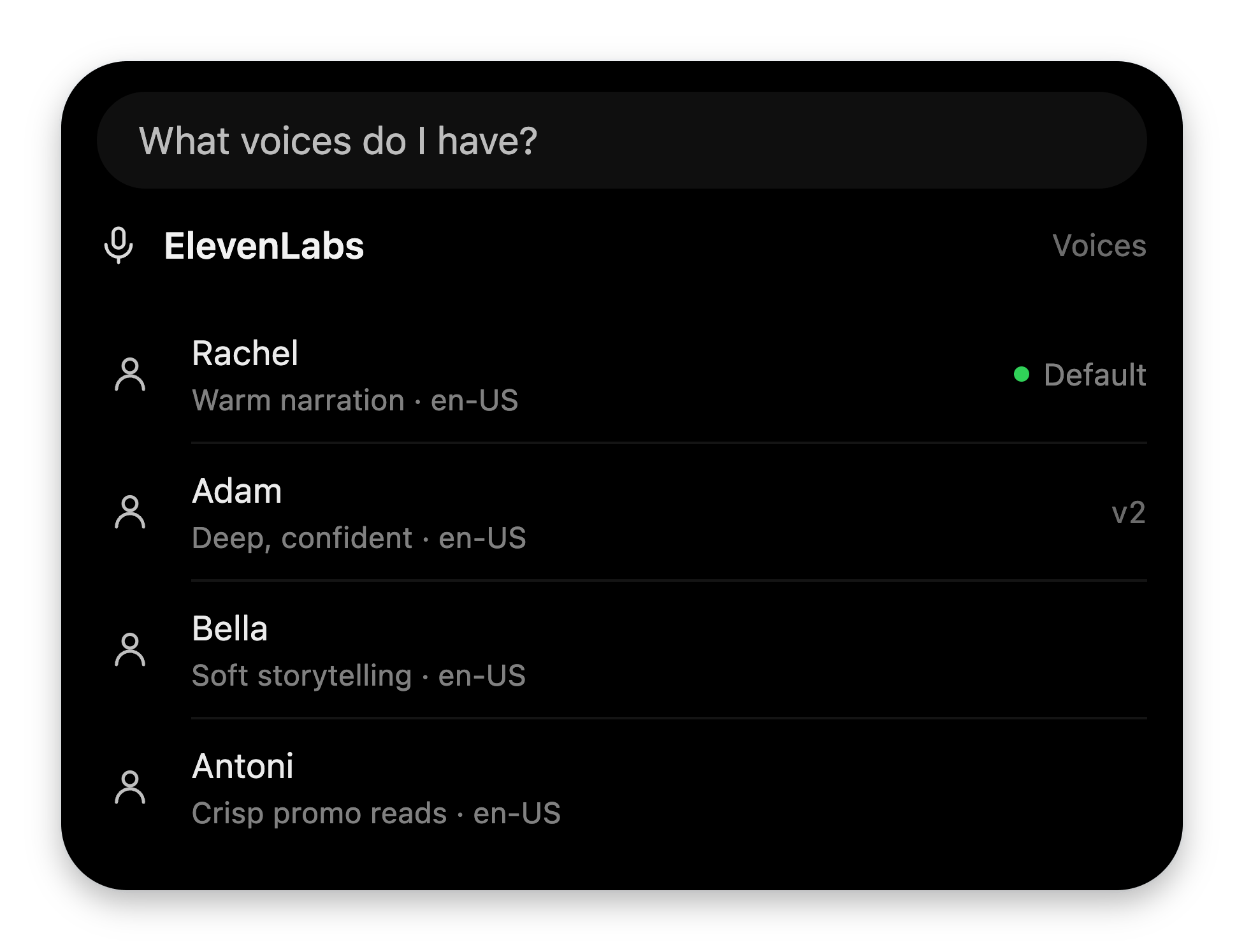
You return JSON. The model reads the data and narrates it. Attach a **glance
card** with `glanceResult([...])` and VoiceOS lifts it out of the payload — the
model never sees UI JSON — validates every block, and renders it natively.
Your handler runs with the validated arguments. Secrets the user entered during
setup arrive as environment variables.
You return JSON. The model reads the data and narrates it. Attach a **glance
card** with `glanceResult([...])` and VoiceOS lifts it out of the payload — the
model never sees UI JSON — validates every block, and renders it natively.
 ## Two UI languages
Integrations describe UI as **data**, never as components with host access.
There's one vocabulary per moment:
| | Before a tool runs | After a tool runs |
| ----------------- | ------------------------------------------------------------- | ------------------------------------------------ |
| **Purpose** | Confirm and edit | Show the result |
| **Blocks** | `card`, `text`, `textField`, `select`, `toggle`, `actions`, … | `header`, `list`, `stats`, `keyValue`, charts, … |
| **Authored** | Once, in the manifest | At runtime, via `glanceResult([...])` |
| **Bindings** | `{{arg}}` binds fields to tool arguments | None — you have the real data |
| **Apple analogy** | App Intents confirmation snippets | WidgetKit |
Both are rendered by VoiceOS's own themed components, so they inherit every
restyle for free, and anything off-schema degrades safely instead of breaking
the notch.
When the built-in blocks aren't enough, either moment also accepts a single
sandboxed [custom widget](/integrations/widgets) — your own HTML in an
isolated iframe with a strict message bridge.
## Where your code runs
The manifest's `runtime` picks one of three homes:
| Kind | What it means | When to use it |
| ------------ | ------------------------------------------------------------------------- | --------------------------------------------------------------------- |
| `local-mcp` | VoiceOS runs your folder's server on the user's machine over stdio. | The default. Zero infra; folders are shareable. |
| `remote-mcp` | You host a Streamable-HTTP MCP server; VoiceOS connects and brokers auth. | Teams that own infra or need server-side state. |
| `hosted` | Reserved: a VoiceOS-operated sandbox. | Not available yet — declared so manifests won't change when it ships. |
Two isolation rules hold in every runtime:
* **Integration code never runs inside the VoiceOS process**, and never sees
VoiceOS secrets.
* **UI is data.** Your cards can't call host APIs, spoof system confirmations,
or read anything from the app.
## Permissions
Everything sensitive is opt-in, declared in the manifest, and shown to the user
at install time.
| Permission | Grants |
| ------------ | ---------------------------------------------------- |
| `network` | Egress to the listed `domains` only. |
| `notify` | Completion notifications and opening the side notch. |
| `background` | Long-running tools (`execution.mode: "background"`). |
| `store` | A small per-user encrypted key-value store. |
| `webhook` | An inbound webhook URL (reserved). |
Least privilege is the rule: list only the domains you actually call.
## Secrets
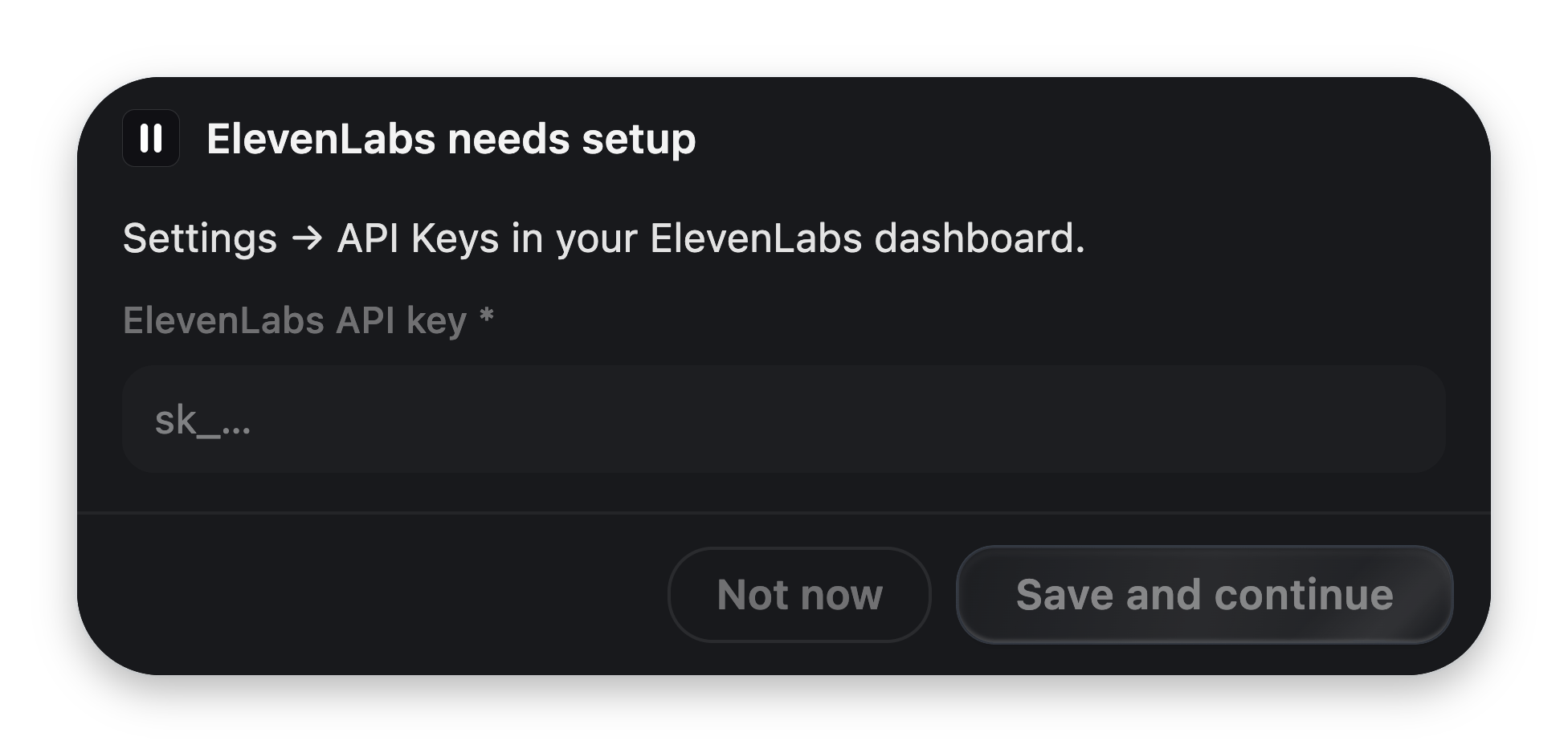
Declare what you need — API keys via `auth: { kind: "apiKey" }`, everything else
via `preferences`. VoiceOS collects the values from the user
[right when they're first needed](/integrations/setup-fields), stores them
encrypted, and injects them into your server as **environment variables named
after each field** (`process.env.MY_FIELD`).
## Two UI languages
Integrations describe UI as **data**, never as components with host access.
There's one vocabulary per moment:
| | Before a tool runs | After a tool runs |
| ----------------- | ------------------------------------------------------------- | ------------------------------------------------ |
| **Purpose** | Confirm and edit | Show the result |
| **Blocks** | `card`, `text`, `textField`, `select`, `toggle`, `actions`, … | `header`, `list`, `stats`, `keyValue`, charts, … |
| **Authored** | Once, in the manifest | At runtime, via `glanceResult([...])` |
| **Bindings** | `{{arg}}` binds fields to tool arguments | None — you have the real data |
| **Apple analogy** | App Intents confirmation snippets | WidgetKit |
Both are rendered by VoiceOS's own themed components, so they inherit every
restyle for free, and anything off-schema degrades safely instead of breaking
the notch.
When the built-in blocks aren't enough, either moment also accepts a single
sandboxed [custom widget](/integrations/widgets) — your own HTML in an
isolated iframe with a strict message bridge.
## Where your code runs
The manifest's `runtime` picks one of three homes:
| Kind | What it means | When to use it |
| ------------ | ------------------------------------------------------------------------- | --------------------------------------------------------------------- |
| `local-mcp` | VoiceOS runs your folder's server on the user's machine over stdio. | The default. Zero infra; folders are shareable. |
| `remote-mcp` | You host a Streamable-HTTP MCP server; VoiceOS connects and brokers auth. | Teams that own infra or need server-side state. |
| `hosted` | Reserved: a VoiceOS-operated sandbox. | Not available yet — declared so manifests won't change when it ships. |
Two isolation rules hold in every runtime:
* **Integration code never runs inside the VoiceOS process**, and never sees
VoiceOS secrets.
* **UI is data.** Your cards can't call host APIs, spoof system confirmations,
or read anything from the app.
## Permissions
Everything sensitive is opt-in, declared in the manifest, and shown to the user
at install time.
| Permission | Grants |
| ------------ | ---------------------------------------------------- |
| `network` | Egress to the listed `domains` only. |
| `notify` | Completion notifications and opening the side notch. |
| `background` | Long-running tools (`execution.mode: "background"`). |
| `store` | A small per-user encrypted key-value store. |
| `webhook` | An inbound webhook URL (reserved). |
Least privilege is the rule: list only the domains you actually call.
## Secrets
Declare what you need — API keys via `auth: { kind: "apiKey" }`, everything else
via `preferences`. VoiceOS collects the values from the user
[right when they're first needed](/integrations/setup-fields), stores them
encrypted, and injects them into your server as **environment variables named
after each field** (`process.env.MY_FIELD`).
 Secret values never appear in the agent transcript and are never persisted in
plaintext.
## Stability — the Minecraft rule
The contract is versioned by `MANIFEST_SCHEMA_VERSION` and `UI_SCHEMA_VERSION`,
both currently `1`. **Additive changes never bump them**, and the host renders
unknown future blocks as safe placeholders — so an integration authored today
keeps working across years of VoiceOS updates.
Build your first integration in the app — no code, three minutes.
The same integration by hand: manifest, server, cards.
Secret values never appear in the agent transcript and are never persisted in
plaintext.
## Stability — the Minecraft rule
The contract is versioned by `MANIFEST_SCHEMA_VERSION` and `UI_SCHEMA_VERSION`,
both currently `1`. **Additive changes never bump them**, and the host renders
unknown future blocks as safe placeholders — so an integration authored today
keeps working across years of VoiceOS updates.
Build your first integration in the app — no code, three minutes.
The same integration by hand: manifest, server, cards.